Guide to Smartwatch Health Features Explained
I stayed for the health data.
A few weeks after strapping it on, I watched my heart rate spike to 130 while I was just sitting at my desk. No coffee, no stress (unless you count email). That little red number led me down a rabbit hole of cardiology blogs, medical studies, and a very honest conversation with my doctor.
That’s when I realized: these tiny wrist computers can be far more than step counters—if you understand what they’re telling you.
This guide is everything I’ve learned from obsessively testing smartwatch health features, comparing brands, reading research, and occasionally panicking over random metrics so you don’t have to.
The Big Picture: What Smartwatches Actually Track
When I tested different watches (Apple Watch, Garmin, Samsung, Fitbit), I noticed they’re all trying to answer a few core questions about your body:
- How hard is your heart working?
- How well are you breathing and sleeping?
- How active (or inactive) are you… really?
- Is your body under stress or recovering?
Under the glossy interface, most of this boils down to sensors:
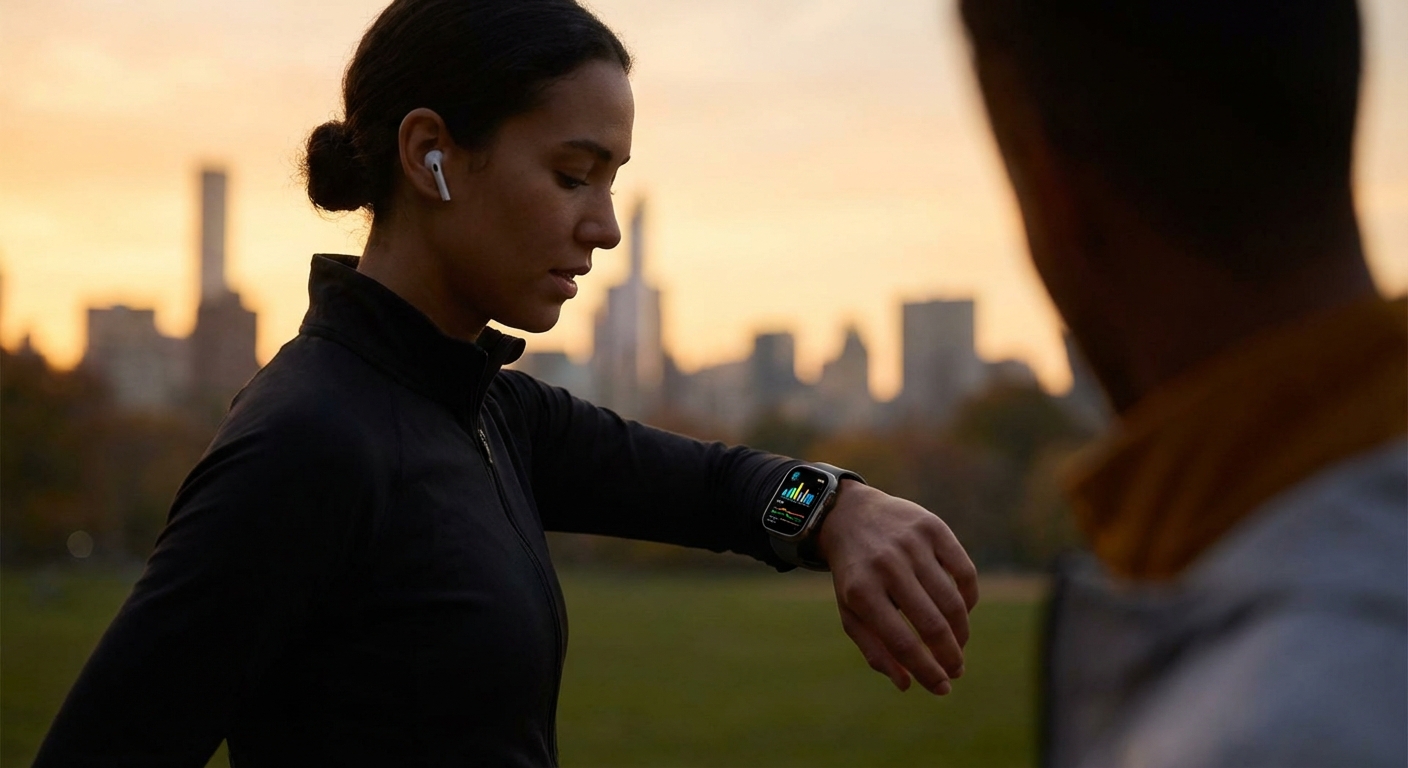
- Optical heart-rate sensor: Uses green or infrared light (photoplethysmography) to detect blood flow.
- Accelerometer/gyroscope: Tracks movement, steps, and even sleep stages.
- Electrical sensors: Used for ECG ECG-like readings on supported watches.
- SpO₂ sensor: Measures blood oxygen saturation via red/infrared light.
In my experience, the data isn’t perfect, but the trends over days and weeks are shockingly useful.
Heart Rate: The Metric You’ll Check Every Day
The first thing I check every morning is my resting heart rate (RHR). It’s an underrated health signal.
Resting heart rate
RHR is basically your heart’s idle speed when you’re relaxed. For most adults, 60–100 bpm is considered normal, but fitter people often sit in the 50s or even 40s.
When I trained for a 10K, my RHR dropped from 72 to 60 over a couple months. On weeks where I slept terribly or was stressed, it jumped back up. That pattern matches what research has found: higher long-term resting heart rates are linked to increased cardiovascular risk.
A 2013 study in the Heart journal found that a resting heart rate over 80 bpm was associated with increased risk of death compared to those under 50 bpm.
Where watches help:- Give you a long-term RHR trend, not just one reading at the doctor.
- Let you correlate spikes with stress, illness, travel, or lifestyle changes.
- Readings can be off during movement, cold weather, tattoos, or loose bands.
- They’re not diagnostic tools; they’re early-warning and awareness tools.
If your RHR suddenly jumps and stays high without explanation, that’s a “call a doctor, not Google” moment.
ECG on Your Wrist: Cool Party Trick or Life Saver?
When I first used the ECG feature on an Apple Watch, it felt like science fiction. I held my finger on the crown for 30 seconds and the watch spat out a rhythm classification.
Some watches can now do single‑lead ECGs, looking mainly for signs of atrial fibrillation (AFib)—an irregular heart rhythm associated with increased stroke risk.
What ECG on a smartwatch can do
- Record a 30-second rhythm strip
- Flag potential AFib vs. sinus rhythm
- Export a PDF you can show your doctor
The FDA cleared the Apple Watch’s ECG app back in 2018 as a Class II medical device, and studies have shown decent accuracy for AFib detection in certain populations.
But there are catches.
Limitations nobody advertises loudly
- It’s single-lead, not a full 12-lead clinical ECG.
- It can miss other arrhythmias.
- It can produce false positives—which I’ve seen firsthand. Mine once flagged a “possible AFib” while I was just shivering outside.
When I showed a cardiologist friend the PDF, he said, “Useful screening tool, terrible anxiety tool.” He was half joking, half serious.
My rule: I treat smartwatch ECGs as a heads-up, not a diagnosis. If you get repeated abnormal results, that’s absolutely worth a professional evaluation.
Blood Oxygen (SpO₂): The Most Misunderstood Number
When blood oxygen sensors showed up on watches, I got nerdily excited… and then slightly disappointed.
SpO₂ readings look super medical, but on consumer watches they’re often:
- Inconsistent from reading to reading
- Sensitive to movement, skin tone, tattoos, temperature
Healthy people usually sit in the 95–100% range at sea level. Below 92–93% repeatedly can be a concern.
During the height of COVID, people used pulse oximeters at home as an early-warning tool, and there’s some logic to that. But wrist-based SpO₂ can be less accurate than fingertip devices, and the FDA has flagged limitations with even medical-grade devices across different skin tones.
Where I’ve personally found value:
- Seeing my SpO₂ dip slightly at high altitude on a hiking trip.
- Spotting occasional lower readings during nights when my snoring app said I sounded like a lawnmower (suspected mild sleep apnea—now being properly tested).
If your watch routinely shows low SpO₂ and you feel off (shortness of breath, fatigue), don’t debate the number—get real medical testing.
Sleep Tracking: Surprisingly Insightful, Occasionally Wrong
I used to swear I was a “bad sleeper.” Then I got data.
When I tested different sleep features, I noticed three levels of usefulness:
- Basic: When you fell asleep and woke up, total time in bed.
- Intermediate: Total sleep, sleep efficiency, wake-ups.
- Advanced (ish): Sleep stages (light, deep, REM) + a “sleep score.”
Research comparing consumer sleep trackers to polysomnography (the gold-standard lab sleep study) shows:
- They’re pretty good at estimating total sleep duration.
- They’re not great at accurately splitting up exact sleep stages.
So when my watch claims I got 17 minutes of deep sleep, I don’t panic. I focus on trends:
- Nights under 6 hours: my resting heart rate is higher the next day.
- More than 3 awakenings: my “stress” and irritability go up (and my coffee consumption quietly doubles).
The magic isn’t in the perfect accuracy; it’s in the pattern. When I started protecting my sleep window—no late-night scrolling, earlier dinner—my watch showed longer sleep duration and better heart-rate variability. I didn’t need a lab to tell me I felt better the next day.
Stress & HRV: The Invisible Load You’re Carrying
The first time I saw my stress score hit “very high” while I was just sitting on a Zoom call, I laughed—and then realized that was… actually fair.
Most smartwatches estimate stress using heart rate variability (HRV)—the tiny differences in time between heartbeats.
- Higher HRV (more variation) usually means better recovery and resilience.
- Lower HRV (less variation) can signal stress, fatigue, or overtraining.
Elite athletes and coaches have used HRV for years to adjust training loads. Now a wrist gadget gives you a rough version of that.
In my experience:
- On nights when I sleep badly or drink too much alcohol, my HRV tanks.
- When I stack hard workouts back-to-back, my “body battery” or recovery score stays low the next day.
Again, no smartwatch is giving you lab-grade HRV values, but for relative trends, they’re incredibly useful.
What I actually do with it:
- Low HRV + high resting heart rate + feeling tired = dial back training, earlier bedtime.
- Solid HRV streak + feeling good = green light for harder workouts.
Activity, VO₂ Max & Fitness Age: The Motivation Metrics
Here’s where smartwatches get fun—and occasionally a bit savage.
Many devices estimate VO₂ max (your maximal oxygen uptake), a gold-standard measure of aerobic fitness. They usually brand it as “Cardio Fitness” or even “Fitness Age.”
Are these lab-accurate? No.
Are they motivating? Uh, yes.
When I started running consistently, my watch bumped me from “below average” to “good” over a couple of months. That tiny label change was more motivating than I’d like to admit.
Decades of research show that higher VO₂ max is associated with lower risk of cardiovascular disease and all-cause mortality. One large study from the Cleveland Clinic (JAMA Network Open, 2018) showed that higher cardiorespiratory fitness was strongly associated with longer life, with no upper limit of benefit observed.
Even if the number on your wrist isn’t exact, nudging it in the right direction is a very real win.
Women’s Health, Cycles & Fertility Features
I don’t have personal experience using the cycle tracking for fertility, but several friends do, and I dove into how it works.
Smartwatches and health apps now:
- Track menstrual cycles, symptoms, and flow.
- Use cycle history (and sometimes skin temperature) to estimate fertile windows.
Apple, for example, added retrospective ovulation estimates using wrist temperature changes. But to be clear—even Apple emphasizes this: these are estimates, not medical-grade fertility tools.
Where they help:
- Spotting irregular cycles.
- Connecting mood, pain, or energy changes with cycle phases.
Where to be cautious:
- Don’t rely solely on them for birth control or fertility planning.
- Cycle prediction can be thrown off by stress, illness, travel, and more.
The Dark Side: Anxiety, Data Overload & False Alarms
I’ll be honest: my watch has made me healthier—and also occasionally more anxious.
A few downsides I’ve felt (and seen in others):
- Notification fatigue: “You’ve been sitting too long.” Yes, I know, I’m on a train.
- Number obsession: Treating every slight dip in HRV like a crisis.
- False alarms: Irregular rhythm alerts that turn out to be nothing.
There’s even a growing term for this: cyberchondria—health anxiety fueled by digital information.
How I deal with it now:
- I turn off non-essential health alerts.
- I focus on weekly trends instead of single-day blips.
- I use the watch as a coach, not a judge.
And when in doubt, I remind myself: this thing is a very smart gadget, not a cardiologist.
How to Actually Use Your Smartwatch to Get Healthier
After years of tinkering, here’s what’s genuinely worked for me:
- Pick 2–3 key metrics to care about.
For me: resting heart rate, sleep duration, and weekly activity minutes.
- Set realistic goals.
Not 20,000 steps and marathon training overnight. I started with “close my activity rings 5 days a week” and “sleep at least 7 hours.”
- Use alerts wisely.
I keep:
- High/low heart rate alerts
- Irregular rhythm alerts
- Stand reminders (but only during work hours)
- Bring data to your doctor, not diagnoses.
I’ve literally said, “Here’s my last 3 months of heart rate and activity—anything concerning?” It turned a vague ‘I feel tired’ into a concrete conversation.
- Remember: trends > perfection.
One bad night, one weird reading, or one lazy week won’t ruin your health. Look at where the arrow is pointing over months.
The Bottom Line: Smart, Not Scared
In my experience, the real power of a smartwatch isn’t in catching a rare heart rhythm problem (though it can happen). It’s in the quiet, daily nudges:
- Hey, you’ve barely moved today.
- Your sleep’s been rough this week.
- Your resting heart rate is creeping up.
Those are the tiny warnings that, if you listen early, can keep the big warnings from ever happening.
Use your watch to get curious about your body, not terrified of it. Pair its data with common sense, real-world habits, and actual medical advice when something feels off.
If that little screen helps you walk a bit more, sleep a bit better, stress a bit less, and catch problems a bit earlier—that’s a lot of health power for something you charge next to your phone.
Sources
- Heart rate: What’s normal? – Mayo Clinic – Overview of resting heart rate ranges and health implications.
- FDA – Apple Watch ECG App De Novo Classification – Regulatory decision summary for Apple’s ECG feature.
- Cleveland Clinic – Cardiorespiratory Fitness and Long-Term Mortality (JAMA Netw Open, 2018) – Study linking VO₂ max/cardiorespiratory fitness to mortality.
- NIH – Sleep Deprivation and Deficiency – Health effects of poor sleep and recommended durations.
- FDA – Pulse Oximeter Accuracy and Limitations – Guidance on accuracy concerns and limitations of blood oxygen measurements.