Buy Now Pay Later and iPhone: A Practical Guide
in one painful hit, I could spread it out over a few weeks or months? Tempting doesn’t even begin to cover it.
But when I actually started testing different Buy Now Pay Later (BNPL) options for big tech purchases, including an iPhone upgrade, I realized there’s a huge difference between “this feels affordable” and “this is financially smart.”
This guide is me walking you through what I learned—the good, the bad, and the slightly embarrassing.
What “Buy Now Pay Later” Really Means (Without the Marketing Gloss)
When I first used BNPL on a smaller purchase, it felt almost too smooth: tap a button, split the cost, no interest.
Under the hood, BNPL is just a short-term installment loan, usually offered at checkout by companies like:
- Affirm (used by Apple in the U.S. for financing on Apple.com and the Apple Store app)
- Klarna
- Afterpay
- PayPal Pay in 4 / Pay Monthly
Typical structure:
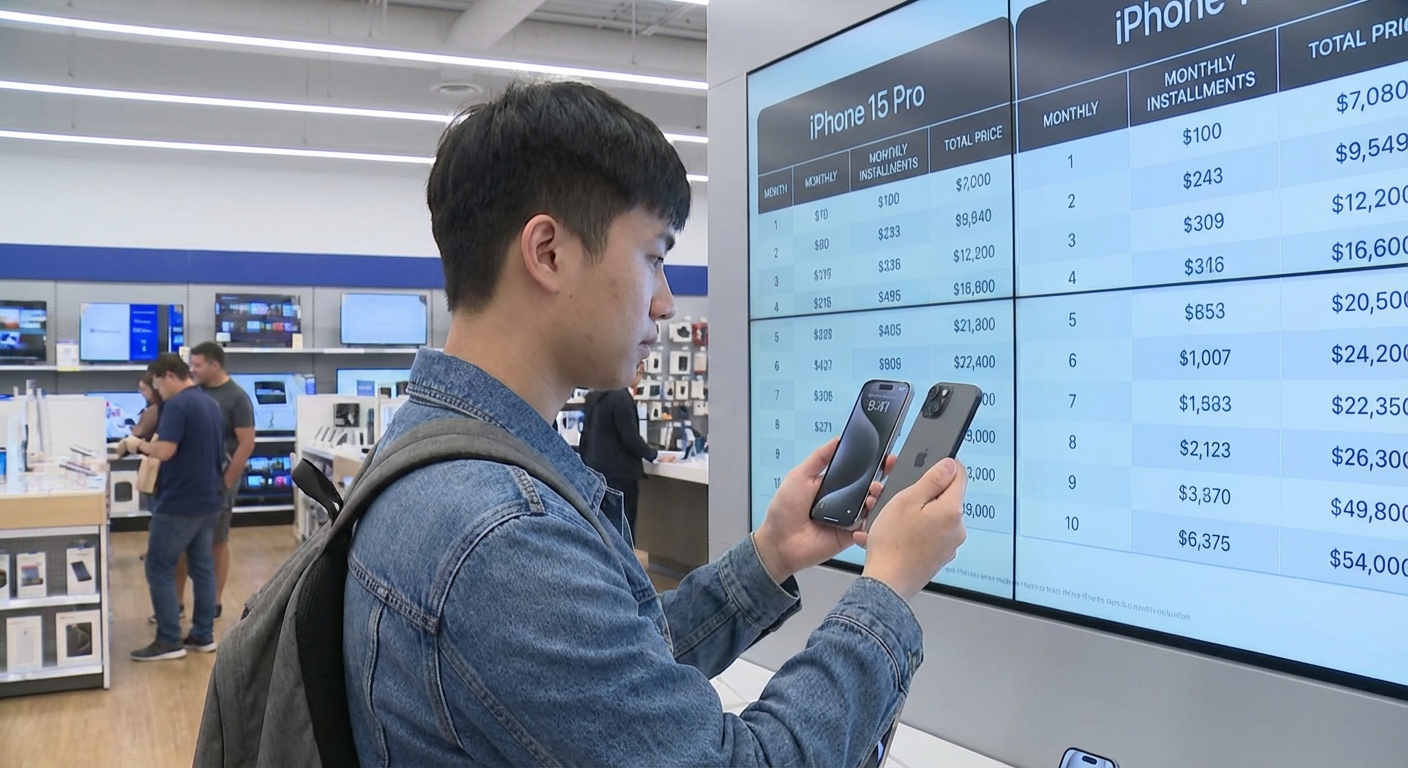
- Pay in 4: 4 equal payments over 6 weeks, often advertised as 0% interest.
- Pay over time / financing: 6–36 months, sometimes with interest (APR can range from ~0% to 30%+ depending on your credit and provider).
When I financed an iPhone once through a BNPL-style offer, the checkout experience made it feel like I was just picking a shipping option. But these are still loans, with all the responsibilities that come with debt.
How BNPL Works Specifically With iPhones
When I tested this on Apple’s website, I noticed three main paths:
- Apple’s own monthly financing (through partners like Citizens One in the U.S. or carriers in other countries)
- BNPL at checkout via PayPal, Affirm, or others
- Carrier installment plans (AT&T, Verizon, T‑Mobile, etc.) that look suspiciously like BNPL
Apple and Affirm
On Apple.com (U.S.), if you choose to pay monthly, you’ll often see Affirm as an option. For example, a ~$1,000 iPhone could show something like: “As low as $xx/month for 12 months with Affirm.”
When I ran a test application (without fully completing the purchase), Affirm showed me:
- The APR (e.g., anywhere from 0% to 15%+ depending on eligibility)
- The total I’d pay over the term
- An estimated soft credit check impact
That last part matters. Some BNPL products run soft pulls, some run hard pulls, and some are now beginning to show up on credit reports as loans. The Consumer Financial Protection Bureau (CFPB) in the U.S. has been watching BNPL closely since around 2022 because usage exploded, especially on higher-ticket items like electronics.
Carrier Plans: BNPL Disguised as “$0 Down”
When I upgraded via a carrier once, the pitch was: “$0 today, just $xx/month.” That “$xx/month” is effectively a BNPL structure:
- 24–36 month installments
- Sometimes 0% interest, but tied to a service contract
- Early payoff rules that can be confusing
In my case, I almost missed that canceling the line early would trigger a lump-sum payoff of the device. That’s the kind of fine print that’s easy to skip when you’re just staring at the shiny camera specs.
The Upsides: When BNPL for an iPhone Does Make Sense
I’m not anti-BNPL. I actually think it can be a smart tool in specific situations. Here’s where I’ve seen it work well—both personally and with clients I’ve helped with budgeting.
1. Smoothing Cash Flow (Without Paying Interest)
A 0% BNPL plan can be reasonable if:
- You already have the money or a clear path to it.
- The payments fit easily into your monthly budget.
- There are no fees for on-time payments.
When I financed a MacBook once on a true 0% plan and set up auto-pay from a dedicated “tech fund” savings account, it felt more like a convenient payment schedule than debt stress.
2. Keeping Your Emergency Fund Intact
There was a moment where my phone died right after an expensive car repair. Using BNPL for the replacement iPhone let me keep my emergency fund intact instead of draining it completely.
That only worked because I:
- Had a stable income
- Knew I could clear the installments in a few months
- Double‑checked that there was no retroactive interest or penalty for early payoff
3. Building Payment Discipline
Used carefully, these plans can help you practice:
- Sticking to a set payment schedule
- Watching your total monthly obligations
But—and this is crucial—it only works if you treat BNPL as real debt, not “free money with a cute UI.”
The Downsides: Where BNPL for iPhones Goes Sideways
Here’s where I started getting nervous, both from my own experience and from digging into research.
1. Creeping Overcommitment
The biggest trap I fell into once wasn’t a single huge BNPL purchase—it was several small ones stacking up:
- $40 here
- $60 there
- $30 for something else
Then I added a phone payment on top. Suddenly my bank app looked like a subscription graveyard of installment charges.
A 2023 CFPB report flagged this exact issue: many BNPL users juggle multiple loans simultaneously, sometimes across different providers, making it hard to see the total monthly obligation.
2. Late Fees and Credit Impact
Most BNPL providers loudly advertise “no interest,” but quietly note:
- Late fees if you miss payments
- Potential reporting to credit bureaus for serious delinquency
In my case, I once updated a debit card and forgot to change it in a BNPL app. One failed payment later, I had a late fee and a collection of “friendly reminder” emails that weren’t very friendly.
3. FOMO Purchases Disguised as Needs
This is the uncomfortable part. When I asked myself, “Do I need the Pro model, or do I just want the camera flex?” the honest answer hurt my ego.
BNPL makes upgrades feel cheaper because you’re seeing $40 a month instead of $1,000. That framing is powerful—and sometimes dangerous.
Psychology research on mental accounting backs this up: people tend to underestimate the impact of small recurring payments compared to one big lump sum.
A Simple Framework: Should You Use BNPL for an iPhone?
Here’s the quick self‑check I now use before I hit any "Pay in X" button.
1. Would I Buy This Phone in Cash Today If I Had the Money?
If the answer is no, BNPL is probably just smoothing the emotional pain, not increasing the actual affordability.
2. What’s My Total Monthly Debt Load After This?
I add up:
- Rent/mortgage
- Existing loans (student, auto, credit cards)
- Subscriptions
- Any other BNPL/installment plans
Then I check if this iPhone payment keeps me under the classic rule of thumb: no more than ~35–40% of take‑home pay going to fixed obligations. Personally, I shoot lower—around 30%—because life happens.
3. What’s the Total I’ll Pay?
I always:
- Look at the APR (if there is one)
- Multiply monthly payment x term
If a $1,000 phone becomes $1,250 after interest, I pause. That extra $250 could be going into savings, investments, or literally anything more productive than financing a gadget.
4. Do I Have a Backup Plan?
I ask myself:
- If I lost my job next month, could I still make these payments?
- Could I sell an older device or downgrade a subscription to cover the gap?
If the honest answer is “I’d be scrambling,” I skip BNPL and either buy a cheaper phone or wait.
Smarter Ways to Use BNPL for an iPhone (If You Decide To)
When I do choose BNPL, this is how I keep it from turning into chaos.
1. Use Only One Provider at a Time
Juggling 3–4 BNPL apps made it impossible for me to see the full picture. Now I:
- Stick to one provider for any large tech purchase
- Turn on all possible notifications: email, SMS, app alerts
2. Automate and Pre‑Fund
I treat BNPL like a sinking fund:
- I calculate the total cost upfront.
- I keep at least 2–3 payments sitting in a separate savings or checking sub‑account.
- I set up auto‑pay and calendar reminders a few days before each draft.
3. Compare Against Apple Trade‑In and Upgrade Programs
When I walked through Apple’s own iPhone Upgrade Program, I realized that:
- It bundles AppleCare+ and yearly upgrades.
- It’s effectively an installment plan, but with more structure and fewer “gotchas” than some random BNPL providers.
Sometimes, combining trade‑in credit with a straightforward Apple or carrier installment plan is cleaner than layering a third‑party BNPL loan on top.
When to Absolutely Avoid BNPL for an iPhone
Over time, I’ve come up with a few hard rules. I avoid BNPL if:
- I’m already carrying high‑interest credit card debt.
- My emergency fund is basically non‑existent.
- I’m tempted to upgrade just because there’s a new color or camera mode.
- I’m not willing to read the terms for late fees, credit reporting, and total cost.
In those situations, I either:
- Buy a refurbished or previous‑gen iPhone in cash.
- Wait a few months and build a tech sinking fund.
I’ve never regretted waiting. I have regretted rushing into easy payments.
The Bottom Line: Use BNPL as a Tool, Not a Trap
BNPL and iPhones are a perfect match from a marketing standpoint: high desire, high price, and a simple button that turns “Ouch” into “Eh, it’s just $40 a month.”
From a financial standpoint, though, it’s a double‑edged sword.
In my experience, BNPL can be:
- Genuinely helpful for smoothing a necessary purchase without interest, when you’re organized and stable.
- Financially risky when it hides the true cost, piles onto existing debt, or fuels upgrades you wouldn’t buy in cash.
If you treat that "Pay in 4" or "$xx/month" as a serious commitment—on the same level as a car payment or small loan—you’ll be miles ahead of the average impulse buyer.
The new iPhone might be smart. The question is whether the way you pay for it is just as smart.
Sources
- Consumer Financial Protection Bureau – Buy Now, Pay Later: Market trends and consumer impacts (2022) - Federal analysis of BNPL usage, risks, and structure.
- Apple – iPhone Payments and Financing - Official Apple page showing current iPhone financing, trade‑in, and monthly payment options.
- Forbes – What Is Buy Now, Pay Later? - Overview of BNPL mechanics, providers, and pros/cons.
- Federal Reserve – Report on the Economic Well-Being of U.S. Households (2023) - Data on consumer credit, debt stress, and payment behaviors.
- NYTimes – The Hidden Costs of Buy Now, Pay Later - Journalism piece exploring BNPL pitfalls and consumer stories.