Guide to Construction Project Scheduling Software Features and Use Cases
n 2016, I watched a single miscommunication about a concrete pour shift three trades, delay inspections, and burn through about $40,000 in a week. That was the moment I started taking construction project scheduling software seriously.
If you’re still juggling PDFs, email threads, and “latest schedule_v9_final_FINAL.mpp” files, this breakdown is for you.
Why Scheduling Software Isn’t Just a Fancy Gantt Chart
When I first tested modern construction scheduling tools, I expected prettier Gantt charts and maybe some drag‑and‑drop magic. What I didn’t expect was how much they changed the behavior of the project team.
Three things jumped out fast:
- Accountability went way up – Subs couldn’t honestly say, “I never got that update,” because the system logged who saw what, when.
- Look‑ahead planning got real – We stopped living only in the master CPM schedule and actually made 3‑week and 6‑week look‑aheads everyone could understand.
- Claims and disputes got less painful – When delays hit, we had a timeline, dependencies, and documented changes instead of finger‑pointing.
McKinsey has hammered on this productivity gap for years—construction productivity has lagged behind the global economy by about 25% for decades, and poor planning and scheduling is a massive culprit (McKinsey Global Institute, 2017). Scheduling software alone won’t fix that, but it’s a big lever.
Core Features That Actually Matter (From Someone Who’s Been Burned)
I’ve tested everything from Primavera P6 on mega‑projects to lighter platforms like Smartsheet and cloud‑based tools like Procore and Autodesk Build. Here’s what consistently makes or breaks the experience.
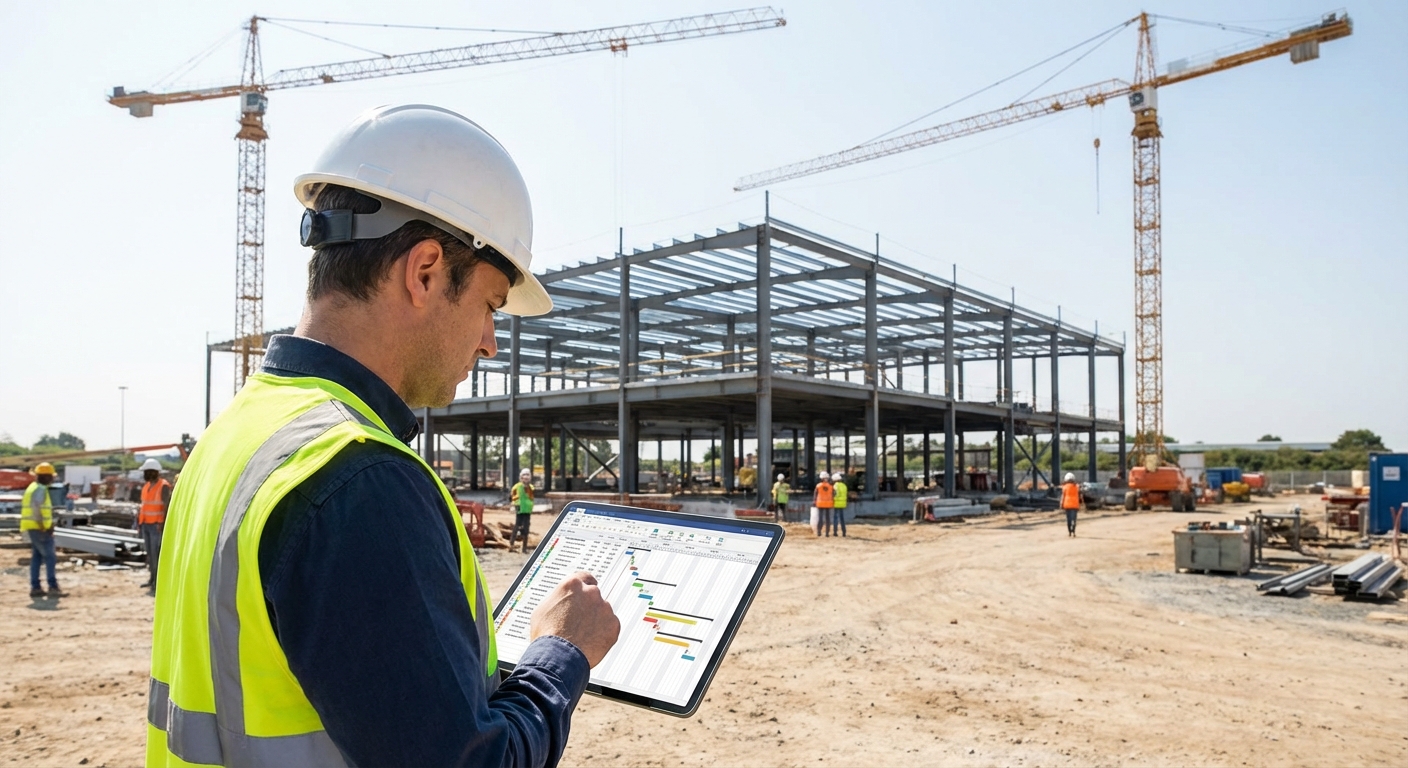
1. Critical Path Method (CPM) and Logic‑Driven Schedules
If your tool can’t handle proper CPM, you’re basically just drawing pretty bars.
What I look for:
- Predecessors and successors (FS, SS, FF, SF relationships)
- Float/Slack calculation – You need to see total float and free float
- Calendar control – Weather days, weekend rules, holidays, shift work
On a manufacturing plant project, we ran a CPM schedule with tight mechanical/electrical coordination. When a key chiller shipment slipped two weeks, we used the CPM model to resequence ductwork and branch circuits. Instead of a full two‑week delay, we absorbed most of it by re‑ordering non‑critical tasks.
Weak CPM = fake control. Strong CPM = options when the job hits turbulence.
2. Baselines and Version Control
One of the worst fights I’ve ever seen between an owner and GC came down to: “That was never the baseline schedule.” No one could produce a locked, time‑stamped original.
Good software lets you:
- Lock baselines and compare current vs baseline visually
- Track revision histories – who changed what and when
- Export snapshots for submittals and progress meetings
On a public project with a state DOT, we had to submit monthly schedule updates. Because the software kept every baseline and revision, we could clearly show that 19 days of delay were driven by late utility relocation—not our framing crew. That clarity literally protected our liquidated damages exposure.
3. Resource and Cost Loading
CPM without resources is like a shopping list without prices or quantities.
In my experience, resource loading is where schedulers either shine or tap out:
- Crew assignments – How many carpenters, electricians, or operators per activity
- Equipment – Cranes, lifts, specialty rigs
- Cost loading – Labor, materials, subs tied directly to schedule activities
I once worked on a mid‑rise where steel erection looked feasible on paper, but the software flagged that our single tower crane was “over‑allocated” by 180% for three consecutive weeks. We caught it early, adjusted sequencing, and avoided a logistical nightmare onsite.
Is cost loading perfect? No. It’s only as good as your data and discipline. But even rough resource loading exposes bottlenecks earlier than gut feel ever does.
4. Field Collaboration and Mobile Access
This is where I’ve seen the biggest cultural shift.
Old way: Superintendent prints the 3‑week look‑ahead, marks it up, then stuffs it into a truck door where coffee slowly destroys it.
New way: Supers, foremen, and even inspectors pull up:
- Updated schedules on tablets/phones
- Task start/finish dates by area or trade
- RFIs or submittals linked to schedule activities
On a large school renovation, we started using tablets for daily huddles. The drywall foreman used to complain that “the schedule is fantasy.” Once he could drag tasks in the field tool and propose realistic dates, buy‑in went up. Our adherence to the 6‑week plan improved from “we’ll see” to something you could actually measure.
Downside: If the software UI is clunky or slow on mobile, field teams will revolt. I’ve watched projects where the platform was so painful that superintendents quietly went back to Excel.
5. Integrations With the Rest of the Tech Stack
The magic happens when scheduling doesn’t live on an island.
The best setups I’ve seen connect schedules to:
- BIM models (4D scheduling) – activities tied to model elements
- RFIs/Submittals – activities blocked until key approvals
- Procurement logs – material lead times drive realistic dates
- Timekeeping and daily reports – actuals vs planned
On a complex lab project, we linked the schedule to the 3D model. When we ran a 4D playback showing MEP rough‑in colliding with lab casework deliveries, the owner finally understood why our sequence mattered. That single meeting saved us countless re‑explanations.
Are integrations always smooth? Absolutely not. Different vendors don’t always play nice, and APIs can be fussy. But when it works, it’s a game‑changer.
Real‑World Use Cases: Where Scheduling Software Actually Pays Off
Use Case 1: Preconstruction and Bid Phase
During precon, I use scheduling tools to:
- Build high‑level milestones and phase logic
- Test what‑if scenarios – multiple phasing options, night vs day shifts
- Support bid leveling – is that low bidder’s duration believable?
Owners are getting more sophisticated. I’ve seen RFPs that explicitly require preliminary CPM schedules with resource assumptions. If you can show a clean logic network and reasonable durations, your proposal just feels more credible.
Use Case 2: Short‑Interval and Look‑Ahead Planning
The CPM master schedule is the backbone, but the real day‑to‑day control happens in 2–6 week look‑aheads.
When I shifted from printing Gantt views to running live look‑ahead sessions in the software, two things happened:
- Trades started owning their dates – they could see dependencies clearly.
- We spotted workface clashes sooner – like two trades scheduled for the same tiny penthouse mechanical room.
Research from the Lean Construction Institute and multiple case studies show that disciplined short‑interval planning can significantly reduce rework and idle time, especially when combined with tools like Last Planner System and digital scheduling.[1]
Use Case 3: Delay Analysis and Claims
This is where the software pays for itself (or not).
On a major project hit by unexpected abatement scope, we used time‑impact analysis in our CPM tool:
- Inserted fragnet (mini‑network) for the new abatement work
- Re‑ran the schedule to see critical path impact
- Documented pre‑ and post‑impact dates
When the owner’s consultant reviewed the claim, the fact that we had structured, time‑stamped schedule data—rather than hand‑wavy narratives—turned a potential months‑long fight into a relatively quick negotiation.
Caveat: You need a competent scheduler. Bad logic + fancy software = very pretty lies.
Use Case 4: Portfolio and Multi‑Project Management
If you’re a GC or owner juggling multiple jobs, portfolio views become gold:
- See all project milestones on one dashboard
- Spot portfolio‑level resource crunches (that one concrete crew everyone wants)
- Benchmark planned vs actual performance across similar project types
I worked with an owner who realized, through aggregated schedule data, that one particular architect consistently generated late design packages on healthcare projects. That data point reshaped their future selection process more than any marketing brochure ever could.
Pros, Cons, and a Few Hard Truths
What Scheduling Software Does Well
- Creates single source of truth for time, sequence, and dependencies
- Strengthens documentation for claims, audits, and closeout
- Improves communication between office and field when used right
- Enables scenario planning instead of panic‑driven reactions
Where It Can Go Sideways
- Overly complex tools scare away field staff
- Poorly trained users build flawed logic that looks impressive but misleads
- Integrations can be fragile and require real IT attention
- Some owner reps still demand PDFs and don’t leverage the live model
In my experience, the tech is rarely the true bottleneck. Adoption, training, and management discipline are.
How to Choose a Tool Without Regretting It in 6 Months
When teams ask me what to buy, I don’t start with features. I start with constraints and culture.
Questions I always ask:
- Are you working on mega projects or mostly small to mid‑size jobs?
- Do you already use platforms like Procore, Autodesk Construction Cloud, or Oracle products?
- Who will own the schedule—one scheduler or multiple PMs and supers?
- How tech‑comfortable are your field leaders?
Rough pattern I’ve seen:
- Primavera P6 / Oracle Primavera Cloud – heavy duty, great for DOT, industrial, mega‑projects, but steep learning curve.
- Microsoft Project / Smartsheet – accessible, good for smaller to mid‑size projects, but limited on advanced construction‑specific workflows.
- Construction platforms (Procore, Autodesk Build, Trimble, etc.) – strong collaboration, decent scheduling, big benefit is integration with RFIs, drawings, and submittals.
Pilot before you commit. On one portfolio, we ran two live projects in parallel with different tools for 90 days. The supers voted decisively in favor of the one that was 10% “weaker” on CPM but 10x better on mobile usability. That’s the kind of trade‑off worth listening to.
Final Thought From the Trailer and the Trailer Office
I’ve spent enough hours in jobsite trailers to know that no piece of software will magically fix a broken planning culture. But I’ve also watched skeptical superintendents turn into power users once they realized the schedule wasn’t just a contractual weapon—it was a living playbook they could actually shape.
If you treat construction project scheduling software as:
- a communication tool instead of just a compliance artifact,
- a planning laboratory instead of a static PDF,
- and a shared responsibility instead of one scheduler’s burden,
then it stops being another license you grudgingly pay for and starts being the quiet backbone that keeps your projects from slipping off the rails.
Sources
- Reinventing Construction: A Route to Higher Productivity – McKinsey Global Institute – Analysis of global construction productivity and drivers.
- Project Management Institute – CPM and Scheduling Practices – Overview of CPM and its use in modern project management.
- U.S. General Services Administration (GSA) – Project Planning & Scheduling – Federal guidance on planning and scheduling for capital projects.
- Lean Construction Institute – Research and Case Studies – Studies on planning reliability, Last Planner System, and schedule performance.
- Oracle Primavera Cloud – Product Overview – Example of an enterprise‑grade construction scheduling platform and its capabilities.