Guide to Walmart Deals and Weekly Savings
y leaned into Walmart’s weekly savings, I pulled my receipts, did the math, and realized I’d saved just over $120 on things I was going to buy anyway.
No extreme couponing. No binder. No color‑coded spreadsheets. Just understanding how Walmart’s pricing ecosystem actually works.
This is the guide I wish I’d had when I started.
How Walmart’s Pricing Game Really Works
When I first started digging into Walmart pricing, I noticed something weird: the Walmart app and the shelf label didn’t always match. Sometimes the app was cheaper, sometimes the in‑store promo was better.
Store price vs. online price
Walmart runs dynamic pricing online, which means prices can shift based on demand, competitors, and stock levels. In-store prices, on the other hand, are usually more stable for the week.
When I tested this with a mid-range blender, the shelf price was $69.96, while the app showed $59.00 for pickup from the same store. I showed it at checkout, and the associate adjusted the price.

- Check the Walmart app for every bigger-ticket item (electronics, appliances, pet supplies)
- If the online price is lower, politely ask for a price match for Walmart.com at the register or do self-checkout with “pickup”
Walmart’s official price match policy covers Walmart.com vs. in‑store in many locations, plus a limited set of competitors online, but it’s restricted and can change. I’ve had hits and misses, so I always double-check their current policy on their site before planning a big buy.
Decoding the Weekly Ad (and Where the Real Savings Hide)
I used to scroll past the weekly ad emails. Big mistake.
Where to find the weekly deals
I now start with three places every week:
- Walmart Weekly Ad in the app – It’s under “Services” or “Savings” depending on your region.
- Local store circular – The geo-targeted ad often has “store-only” promotions.
- Rollback & Clearance sections – These are not always featured in the weekly ad, but they stack well with other savings.
When I compared four weeks of ads, a pattern showed up:
- Grocery staples (milk, eggs, flour, cereal) tend to rotate into promo every 2–4 weeks
- Seasonal items (BBQ, school supplies, holiday decor) get aggressive discounts near the end of the season
- Household goods (laundry detergent, TP, cleaning supplies) often sync with national brand promotions
So now I stock up on long-lasting essentials when they hit that cycle instead of buying them randomly at full price.
Rollbacks vs. Clearance vs. Everyday Low Price
This part confused me at first, so here’s how it actually shakes out based on my own receipt-stalking.
Rollbacks
“Rollback” is Walmart’s temporary sale tag. It’s usually:
- Short-term (weeks, sometimes months)
- Often aligned with brand-funded promos
When I tracked detergent prices over three months, one brand hovered around $12.97, then dropped to $9.94 as a rollback for six weeks. Back to $12.97 after that.
How I play it: I treat rollbacks as the “green light” to buy 2–3 of something I know I’ll use up.Clearance
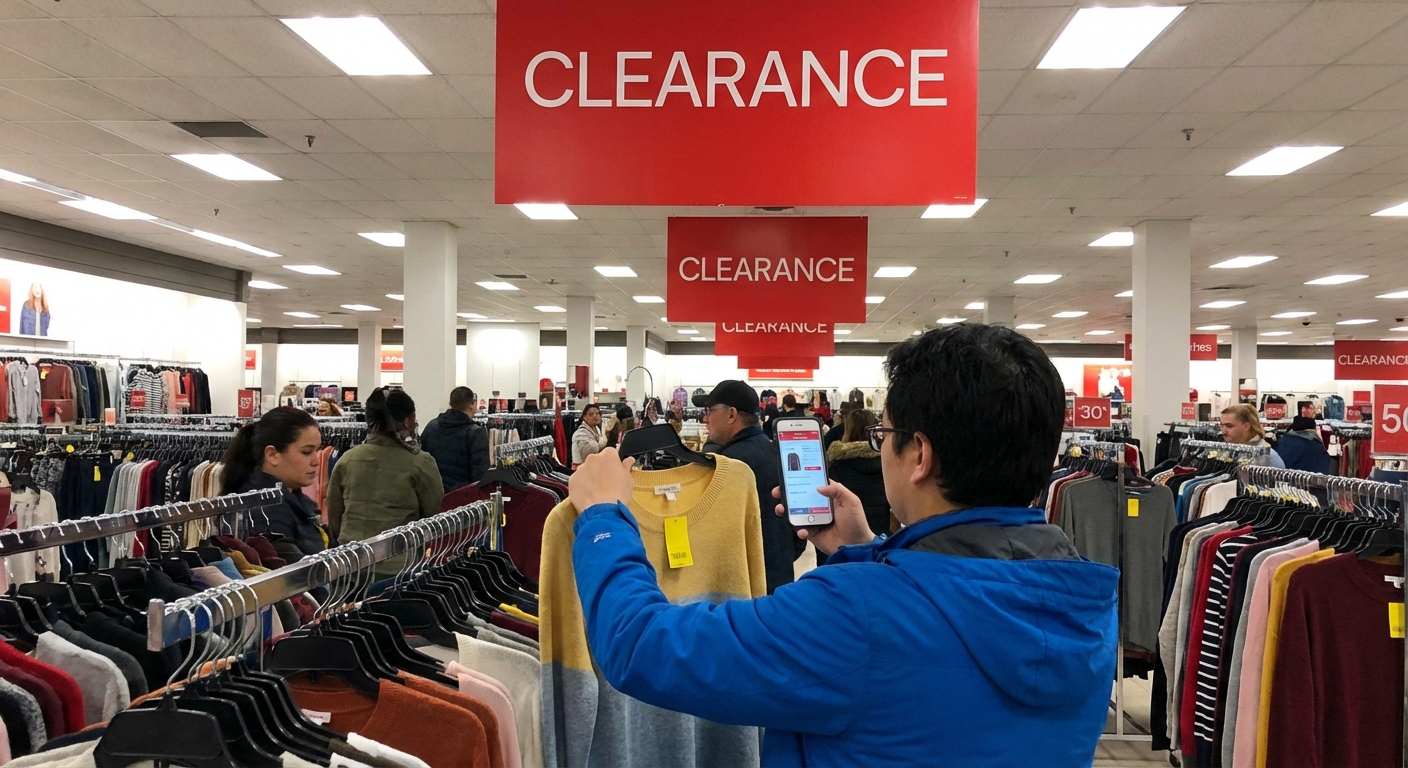
Clearance is where the wild stuff happens.
I once grabbed a $49.88 air fryer for $25 because it was a yellow-tag clearance item shoved on the bottom shelf of an endcap. That same week, it was still full price online.
Clearance usually means:
- Discontinued, overstock, packaging change, or seasonal leftovers
- Pricing can drop in stages (e.g., 25% off → 50% off → 70% off)
If it’s something I kinda want but don’t need, I’ll risk waiting for the next markdown. If it’s something I really need (like a space heater during winter), I grab it.
Everyday Low Price (EDLP)
Walmart’s whole thing is EDLP—no constant “fake” markdowns. But EDLP doesn’t mean you’re always getting the absolute lowest price in the universe.
When I compared my regular grocery basket between Walmart and a regional grocer over a month, Walmart was cheaper on brand-name pantry items, but my local store beat them on some produce and weekly loss-leader deals.
So I still mix and match stores when it’s worth the drive.
The Walmart App: Where the Hidden Deals Live
If you’re not using the app, you’re leaving money on the table—especially on weekly savings.
Price checking & deal tracking
I use the barcode scanner in the Walmart app like a detective.
I’ve found:
- Items marked full price on the shelf that scanned as hidden clearance in the app
- Online-only discounts that made pickup cheaper than in‑store
When I tested this in electronics, I scanned three TV models. One showed a $50 lower price in the app vs the shelf tag. That alone paid for the time.
Substitutions hack (Walmart Grocery pickup)
This one’s a bit of a gray art, not a guarantee.
When you order groceries for pickup, if they’re out of a specific item, they’ll usually substitute with something equal or better at the same price. I’ve:
- Ordered store-brand yogurt, got a name-brand upgrade for no extra cost
- Ordered a smaller bag of rice, received a larger size because the smaller was out
You should never rely on this as a strategy, but it’s a nice side perk of using pickup—especially on sale weeks when items go out of stock.
Matching Walmart Deals with Manufacturer Coupons & Cash-Back Apps
When I first combined Walmart rollbacks with coupons, my total dropped so fast the cashier glanced at the screen and said, “Wow, nice.” That’s when I knew this layering stuff actually works.
Stack #1: Rollback + Manufacturer Coupon
Most of the time, you can combine:
- Walmart’s Rollback price
- A manufacturer coupon (paper or digital, where accepted)
For example, I once bought cereal on rollback for $2.48/box and used a $1 off 2 manufacturer coupon. That brought it down to under $2 each. Not mind-blowing, but across 10–15 items, it adds up.
Just know Walmart doesn’t do double coupons like some regional chains.
Stack #2: Walmart Price + Rebate App
I’ve personally used Ibotta, Fetch, and Shopkick at Walmart. The play is:
- Check the app for offers
- Match them with Walmart’s weekly deals or rollbacks
- Submit your receipt for cash back or points
On a good week, I’ve stacked:
- Walmart rollback on a laundry detergent
- $1.50 Ibotta rebate
- Extra points in Fetch
Net effect: the detergent ended up cheaper than warehouse club pricing per load.
Downside? It takes a little mental energy, and sometimes offers vanish or change quantity limits. I’ve had a few “ugh” moments where I bought something only to see the rebate disappear that afternoon.
Best Times & Seasons to Score Big at Walmart
I started timing my trips as an experiment, and, yeah, it matters.
Weekly timing
In my area, I’ve consistently seen:
- Fresh markdowns early in the week (often Monday/Tuesday) on bakery items and some meat
- End-of-week stock clear-outs on certain produce and deli items
This isn’t official policy—just pattern spotting from walking the aisles more than I’d like to admit. Ask a friendly associate in your local store; some of them will literally tell you, “We mark these down on Tuesday mornings.”
Seasonal timing
From tracking several years of shopping:
- January – Fitness gear, storage, some electronics
- July – Outdoor gear, grills, patio furniture after July 4
- August/September – Back-to-school supplies and dorm items
- November – Black Friday / early holiday electronics and toys
- Late December / early January – Holiday decor, wrapping, seasonal food
I once snagged a 7.5-foot pre-lit Christmas tree for under $40 in early January. In November, the same kind of tree was close to triple that.
Pros and Cons of Chasing Walmart Savings
I’m not going to pretend this is all upside.
What genuinely works
From my experience:
- The Walmart app plus in-store verification is the biggest consistent money saver
- Rollbacks + rebates can beat warehouse clubs on name-brand items
- Clearance hunting is stupidly fun when you find a gem (and yes, I get too excited about it)
- Walmart is strong for household goods, packaged foods, and basics
Where it falls short
Also from experience:
- Some produce and meat quality can be hit-or-miss depending on your store
- Clearance and hidden deals are inconsistent; you can’t plan your whole budget around them
- Price match and coupon policies change, and not every cashier interprets them the same way
- It’s easy to get sucked into buying stuff you don’t actually need just because it’s 50% off
My personal rule: If I wouldn’t buy it at full price, I pause hard before buying it on sale.
A Simple Weekly Walmart Savings Routine
Here’s the system I use now that keeps everything low-effort:
- Check the weekly ad in the app on Sunday night or Monday morning
- Scan my regular staples for rollbacks or promos
- Cross-check rebate apps for extra offers on what I’m already planning to buy
- Use the app scanner in-store for anything over $10 or that looks like it might be clearance
- Keep receipts (digital or paper) for at least a week for rebates and returns
This whole routine realistically takes me 10–15 minutes a week, and the savings average between 15–25% on non-produce items when the stars align.
If you treat it like a game instead of a chore, the wins feel pretty good.
Sources
- Walmart Corporate – Our Business - Official overview of Walmart’s business model and pricing philosophy
- Walmart – Price Match Policy - Current guidelines on in-store vs. online price matching
- Forbes – How Walmart Makes Money - Analysis of Walmart’s pricing and margin strategies
- Harvard Business Review – The Dark Side of Dynamic Pricing - Explains dynamic pricing tactics used by major retailers
- USDA – Food Prices and Spending - Government data on grocery spending and consumer trends