Walmart Deals and Offers Guide
and tested the different promo “hacks,” I realized I’d been leaving money on the table for years.
This Walmart Deals and Offers Guide is basically my playbook: what I’ve personally tried, what flopped, and what consistently works when you’re shopping online or in-store.
Why Walmart Is Such a Deal Goldmine
In my experience, Walmart is less about flashy coupons and more about quiet price drops and stackable savings. The real wins usually come from combining:
- Everyday low prices
- Rollbacks
- Clearance (especially hidden clearance)
- App-only price differences
- Cash-back apps
- Store programs like Walmart+ and the Walmart Rewards Card
When I finally layered these together on a single purchase, I bought a $129 air fryer for just under $60 effective cost. That’s when I stopped impulse-browsing and started shopping Walmart like a strategy game.
Mastering the Different Types of Walmart Offers
1. Rollbacks vs Everyday Low Price (ELP)
I used to treat Rollback tags as marketing fluff—until I checked price history.
- Everyday Low Price (ELP): Walmart’s baseline. Often already cheaper than competitors.
- Rollback: Temporary drop from that baseline, usually tied to vendor promos or inventory.
When I tested this on pantry staples, I found some Rollbacks were 10–25% off the normal price. For example, a cereal I buy was $4.48 ELP, dropped to $3.24 on Rollback for about 6 weeks. I started stocking only when it hit that Rollback band.

2. Clearance and Hidden Clearance
The most fun I’ve had at Walmart (yes, I’m that person) was hunting clearance.
There are two flavors:
- Regular clearance: Marked with yellow tags in-store or tagged online
- Hidden clearance: Shelf tag says one price, but the system has silently dropped it lower
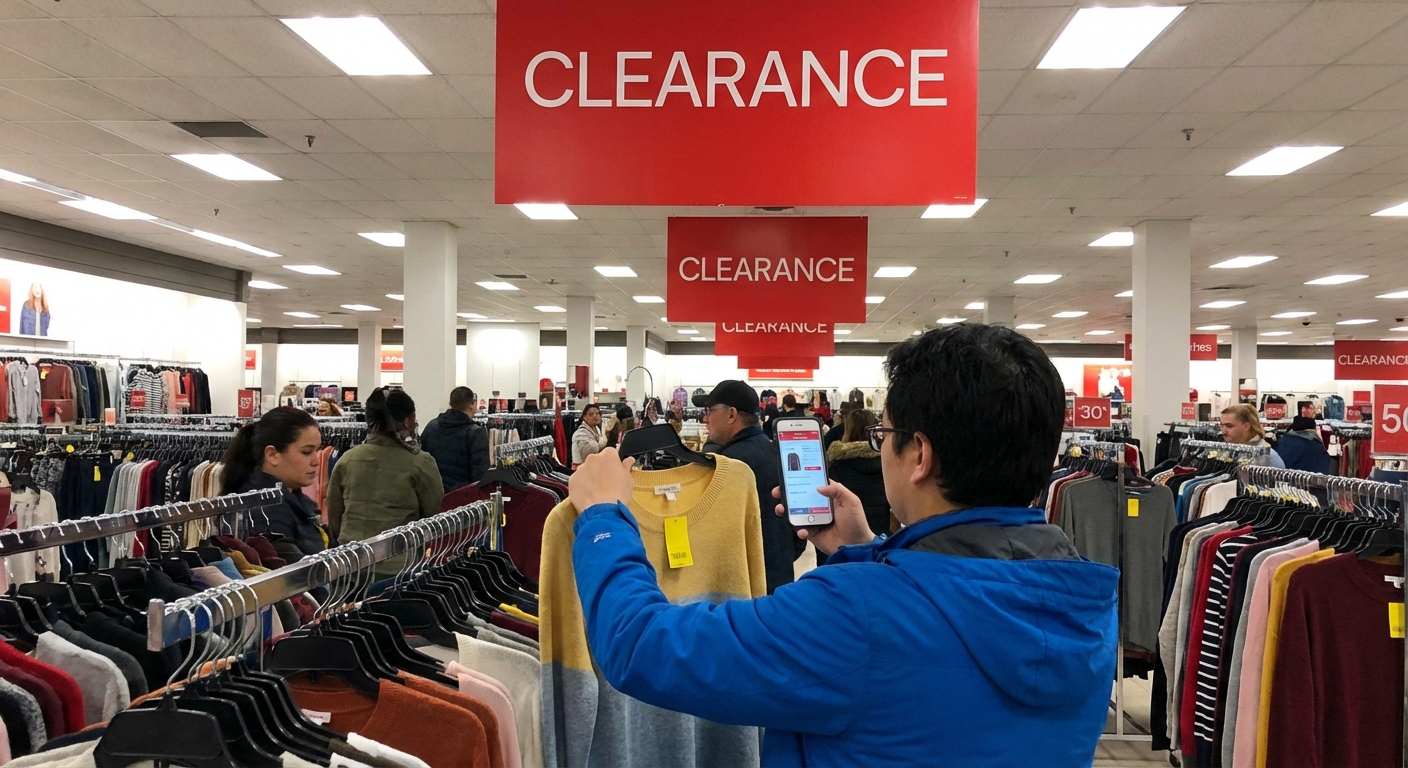
I recently found a kids’ LEGO set labeled $39.97 in-store. When I scanned it in the Walmart app, it rang up at $15. That’s hidden clearance in action.
How I hunt hidden clearance:- Walk the clearance aisles, then randomly scan items with the app.
- Scan items that look seasonal or slightly older packaging.
- Check endcaps near toys, home, and electronics.
Is it hit-or-miss? Absolutely. Some days I find nothing. But when it hits, it hits hard.
3. Walmart Online vs In-Store Prices
When I tested this systematically for a week, I found something interesting: the online price and in-store price can differ by several dollars.
Example from my own cart:
- Coffee maker in-store: $34.96
- Same model in the app: $24.98
When I showed the cashier the app price, they matched it without any drama. Walmart’s official policy allows price matching with their own website/app in many stores, though it can vary by location and manager.
My rule: I scan everything in the app, even when I’m standing 3 feet from the shelf.Walmart+ and Whether It’s Actually Worth It
I was skeptical of Walmart+ at first. Paying a membership fee to “save” money always sounds a bit suspicious.
What you get (in practice, not just marketing)
From my experience and Walmart’s own breakdown:
- Free shipping with no order minimum on many items (on eligible products)
- Free grocery delivery from your store (over a certain order threshold)
- Fuel discounts at participating gas stations
- Mobile scan & go in some stores
The membership runs about $98/year or $12.95/month, though Walmart does promotions, especially around Walmart+ Week and the holidays.
When it paid off for me
One month, I tracked every benefit I used:
- Three grocery deliveries (I’d usually pay a delivery fee)
- Two big general merchandise orders shipped free
- Fuel savings on a road trip
I calculated that I got roughly $28 in delivery savings, plus about $9 fuel savings, in just that month. For my household, it justified the annual plan.
When it’s not worth it
If you:
- Rarely shop online
- Don’t need grocery delivery
- Don’t live near a participating fuel station
…then Walmart+ might be more “nice-to-have” than “no-brainer.” For some of my friends, a simple free account plus occasional in-store shopping works just fine.
Stacking Savings: How I Turn One Deal into Four
This is where the magic happens. The biggest wins I’ve had at Walmart came from stacking multiple types of offers, not just grabbing a single bargain.
Here’s a real example from one of my trips:
- Item on Rollback: detergent down from $13.97 to $9.94.
- Manufacturer coupon: $2 off from the brand’s website.
- Cash-back app (Ibotta in my case): $1.50 back.
- Rewards card (Walmart credit card): 5% back on Walmart.com, 2% in stores.
Effective cost after everything: about $6.50 on a product that’s usually around $14–15.
Not every purchase stacks that perfectly, obviously. Sometimes cash-back offers vanish, or the coupon excludes the size on sale. But whenever I check three things—price, coupons, cash-back apps—before checkout, I usually shave at least a few dollars off a basket.
Seasonal Deals: When Walmart Quietly Slashes Prices
In my experience, Walmart follows fairly predictable retail seasons. If you time your buys, you can get outrageous deals.
- January–February: Fitness gear, storage bins, holiday clearance (up to 75–90% off if you wait long enough)
- July: Back-to-school, early electronics promos
- October–November: Toys, TV deals, small appliances (Black Friday and pre-Black Friday events)
- After major holidays: Christmas, Halloween, Easter decor and candy go on fast markdown cycles
One year, I waited until the third round of post-Christmas markdowns. I grabbed $40 string lights for $7 and heavy-duty wrapping paper for under $2. The tradeoff: selection was pretty picked over. If you’re picky about colors or styles, waiting too long can hurt you.
The Walmart Marketplace Trap (and How I Avoid Overpaying)
This is one area where I’ve seen people get burned.
Walmart’s site includes Marketplace sellers—third-party vendors, just like Amazon. Sometimes they’re legit and well-priced. Other times, the prices are hilariously inflated compared to Walmart’s own stock.
I’ve seen:
- A $39 appliance in-store listed at $89 from a Marketplace seller
- Popular toys marked up 50–100% close to the holidays
What I personally do:
- Filter to “Sold & shipped by Walmart” when I want the baseline price and easier returns
- Compare against at least one other retailer for big-ticket items
- Read seller ratings when I do buy Marketplace
Marketplace isn’t evil; it just demands a little more attention.
Pros and Cons of Chasing Walmart Deals
After a few years of doing this more intentionally, here’s my honest take.
What’s awesome
- Legit low baseline prices: Even without a single coupon, many items beat competitors.
- Huge potential on clearance: Especially toys, home, and seasonal.
- Multiple stacking options: Rollbacks + coupons + cash-back + rewards = serious savings.
- Convenience factor: One stop for groceries, household, and some electronics.
What’s not-so-great
- Time cost: Hunting hidden clearance and stackable deals can be time-consuming. Some days you walk out with nothing special.
- Inventory inconsistency: That amazing clearance price you saw online might be totally absent at your local store.
- Marketplace markups: Easy to assume everything on Walmart.com reflects their low-price promise—it doesn’t.
- Regional variability: Some offers, especially clearance and gas discounts, vary a lot by location.
For me, the savings have 100% been worth it, but I treat deal-hunting almost like a hobby. If you’re extremely busy, focus on the easy wins: app price checks, Rollbacks, and a single cash-back app.
How I’d Start If I Were You
If I were starting from scratch tomorrow, here’s exactly what I’d do over my next 2–3 Walmart trips:
- Install the Walmart app and scan prices in-store for every medium or high-ticket item.
- Create a free Walmart account so you can save lists, track orders, and see personalized offers.
- Pick one cash-back app (Ibotta, Fetch, etc.) and just use it on basics you already buy.
- Walk the clearance aisles once a week for a month and scan a handful of items.
- Track just 3 regular buys (like laundry detergent, cereal, coffee) for price drops and notice when they usually go on Rollback.
That alone should noticeably shave down your receipt without turning your life into a full-time coupon show.
Once you’re comfortable, then you can test Walmart+, store credit cards, and more aggressive seasonal timing.
I still get a weird thrill when the final total at checkout is way lower than I expected. But now that I understand how Walmart’s deals actually work—beyond the ads and the hype—I feel like I’m playing the game on hard mode… and winning more often than not.
Sources
- Walmart Corporate – Pricing Philosophy & Everyday Low Price - Background on Walmart’s pricing model and business approach
- Walmart+ Membership – Official Benefits and Pricing - Details on Walmart+ features, costs, and current terms
- Forbes – How To Save Money At Walmart - Overview of common Walmart savings strategies and programs
- U.S. Bureau of Labor Statistics – Consumer Price Index - Official data source I use to compare retail price trends over time
- NYTimes – The Pandemic Changed Shopping. Maybe Forever. - Context on shifts toward online and big-box retail behavior