Walmart iRobot Roomba 675 Sale: What to Know
e on the iRobot Roomba 675. I’d seen this model pop up in deal threads before, but this was the first time it was cheap enough that I actually paused and thought, okay, maybe it’s Roomba time.
If you’ve also spotted a Walmart Roomba 675 sale and you’re wondering whether to jump on it or walk away, here’s everything I’ve learned from testing it in my own apartment, digging into specs, and cross-checking reviews and expert takes.
What Exactly Is the Roomba 675?
The iRobot Roomba 675 is an entry-level, Wi‑Fi connected robot vacuum. It’s not the newest kid on the block—in fact, iRobot first rolled it out several years ago as a budget-friendly smart model—but it keeps hanging around retailers like Walmart because it hits that sweet spot of “smart enough” and “cheap enough.”
In my experience, the 675 is basically the gateway Roomba. You get:
- Wi‑Fi control through the iRobot Home app
- Voice control with Alexa and Google Assistant
- A 3‑stage cleaning system (agitation, brushing, suction)
- Cliff sensors so it doesn’t swan-dive off your stairs
- About 90 minutes of run time before it shuffles back to the dock
What you don’t get: fancy mapping, keep‑out zones, or self-emptying. This is old-school “press clean and let it bump around” robotics.
When I tested this in my one-bedroom with a mix of hardwood and low-pile rug, I realized pretty quickly: it’s not magic, but it is a lot less bending over with a dustpan.
How Good Is the Walmart Deal, Really?
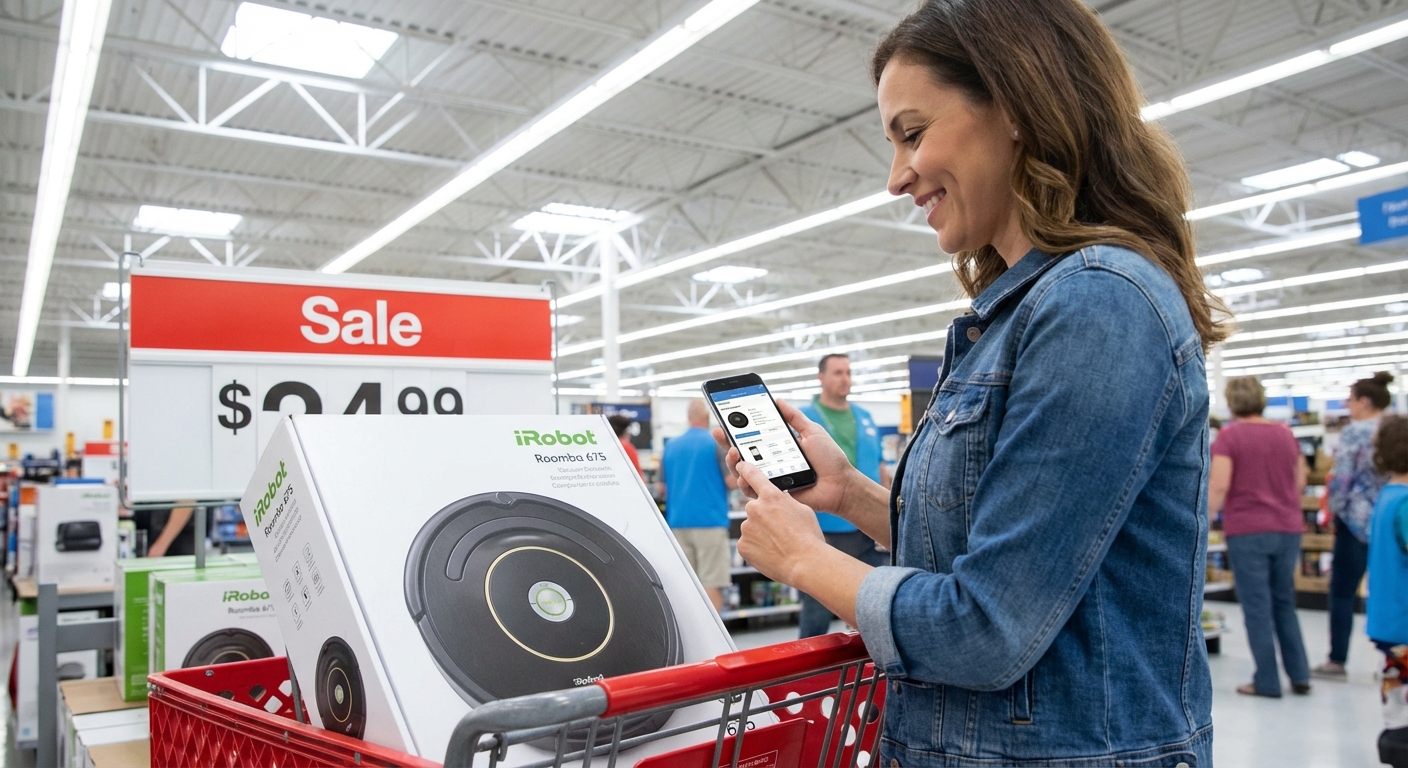
Walmart tends to run Roomba 675 deals around big shopping events—think Black Friday, Cyber Monday, and random "Rollback" promos. The full MSRP was originally around $269.99 when it launched, though you’ll usually see it discounted across retailers now.
On sale at Walmart, I’ve seen it drop into the $159–$199 range, sometimes even lower if they’re clearing out inventory.
When I price-checked against Amazon and Best Buy during one sale window:
- Walmart had it at $179
- Amazon hovered at $189
- Best Buy was still around $199
So yes, when Walmart actually marks it down hard, it can be one of the better places to grab it—especially if you stack it with:
- Walmart Rewards / cash‑back portals
- Store credit card promos
- In‑store pickup (I’ve seen extra incentives for that)
That said, Roombas are perpetually on sale somewhere. If you’re not in a rush, track prices for a week or two using a price tool or just casually checking Walmart, Amazon, and iRobot’s own site.
My Hands-On Experience Using the Roomba 675
When I first set up the Roomba 675, I half-expected chaos. I pictured it eating sock strings and head-butting every piece of furniture I own.
Setup was actually painless. I:
- Plugged in the dock
- Charged the Roomba for a couple hours
- Downloaded the iRobot Home app
- Connected it to Wi‑Fi and named it (mine is called “Dust Goblin,” because obviously)
Within 10 minutes, I was scheduling a daily clean.
Performance-wise, here’s what I noticed over a few weeks:- Crumbs and pet fur: It handled my dog’s tumbleweeds of fur and kitchen crumbs surprisingly well. The dual multi-surface brushes do pick up a solid amount on hard floors.
- Area rugs: On my low-pile rug, it transitioned fine and pulled up a good bit of dust that my upright vacuum had apparently missed.
- Random navigation: It definitely does that “drunk Roomba” wandering pattern. No fancy LiDAR mapping here—just bump, adjust, continue. It eventually covers the space, but it’s not surgical.
- Noise: Quieter than my corded vacuum, louder than a fan. I could still watch Netflix with it running, but I bumped up the volume a notch.
- Maintenance: Every 2–3 runs I had to empty the bin, and I pulled hair off the brushes weekly. Not hard, but you can’t completely ignore it.
One very specific moment sold me: I knocked a bowl of dry cereal behind my kitchen table in the morning and didn’t have time to clean it up properly. That night, I started the Roomba from the app while I was still out. When I came back, the cereal graveyard was gone. Was it glamorous? No. Did I feel like I’d unlocked a tiny bit of adulting cheat code? Yes.
Where the Roomba 675 Shines (and Where It Doesn’t)
When I talk to friends about this model, I always lay out the honest pros and cons.
What It Does Well
- Great for small to mid-sized spaces: Apartments, condos, single-floor homes. In my 700 sq ft apartment, one full run usually gets everything looking presentable.
- Simple app + scheduling: I love that I can set it to run while I’m out. There’s something deeply satisfying about coming home to cleaner floors than I left.
- Good value during a sale: At the lower Walmart sale prices, it’s a strong starter robot vacuum. You get the Roomba ecosystem and app without dropping $500+.
- Handles daily debris: Dust, crumbs, pet hair—this is its sweet spot. It keeps the “everyday mess” under control.
Where It Struggles
- No smart mapping: It doesn’t remember your floor plan. You can’t set no-go zones or say “just clean the kitchen.” It treats every run like its first day at work.
- Not ideal for thick carpets: It manages low-pile rugs, but on thicker carpet and shag, it can struggle and feel underpowered.
- Small bin capacity: If you’ve got multiple shedding pets or a large space, you’ll be emptying the bin often.
- Older tech: iRobot has moved on to more advanced models (like the j7+ or s9+). You’re buying an older-generation robot, which is why it’s often discounted.
For me personally, the lack of mapping was the biggest frustration. I’m mildly obsessed with floor plans, so watching it re-learn my living room every time was a little painful. But as a “set it and go live your life” tool, it did its job.
How It Compares to Newer Roombas
When I was debating the Walmart 675 deal, I didn’t just look at price—I also compared it to iRobot’s more recent lines.
Some key differences:
- Roomba i3 / i3+: You get Imprint Smart Mapping, more powerful suction, and the option for a self-emptying base (that’s the "+" version). Way better for bigger homes, but typically much pricier.
- Roomba j7+: Uses a front-facing camera to recognize obstacles like pet waste and cords. That’s one of the most common complaints about cheaper bots—cord tangles—so this is a huge leap.
- Roomba s9+: Flagship-level suction and corner cleaning with a D-shaped body. Fantastic for carpets and large homes, but the price tag is, well… not a “casual Walmart scroll” purchase.
When I looked at expert reviews from places like Consumer Reports and coverage in outlets like The New York Times’ Wirecutter, the pattern was pretty clear: the 675 is often recommended as a budget pick, not a best-of-the-best cleaner. It’s like buying last year’s phone—still totally usable, just missing some bells and whistles.
If your budget can stretch and you want smarter navigation and less babysitting, it may be worth skipping the 675 even at a discount. If you just want an affordable bot to grab crumbs while you’re at work, the Walmart sale can make a lot of sense.
Should You Buy the Roomba 675 During a Walmart Sale?
Here’s who I think the Walmart Roomba 675 sale does make sense for, based on my experience and the data I dug through:
- You live in a small or medium-sized space
- You mainly have hard floors or low-pile rugs
- You’re okay with basic, non-mapping navigation
- You want a trusted brand (iRobot) without paying premium prices
- You’re grabbing it at a deep discount (ideally under $200)
On the other hand, you may want to skip it if:
- Your home is large or multi-story
- You have thick carpets or a lot of clutter/cords lying around
- You want advanced features like mapping, no‑go zones, or self-emptying
- You’re sensitive to older tech and want something that’ll feel current for years
When I tested the 675, it didn’t replace my upright vacuum completely—I still do a deeper clean every couple of weeks. But it definitely cut my “crumb panic” cleaning down a lot. I vacuum less, my dog sheds the same, and somehow my floors look better on autopilot.
If you catch the Roomba 675 on a strong sale at Walmart and your expectations are set right—entry-level bot, not sci‑fi housekeeper—it can absolutely be worth it.
Quick Buying Tips Before You Click "Add to Cart"
A few last things I wish I’d known before I bought mine:
- Check the model number carefully: Walmart sometimes mixes different Roombas on one page. Make sure it explicitly says Roomba 675, not just “600 series.”
- Peek at the return policy: Walmart’s return window is typically 30 days for electronics, but it can vary by store and promo.
- Read a few recent reviews: Focus on reviews from the last 6–12 months—older ones might reflect earlier firmware or hardware runs.
- Plan for replacement parts: Filters and brushes are consumables. Factor in a small yearly maintenance cost.
When I finally hit purchase, I told myself I’d probably return it if it didn’t impress me in the first week. Instead, it’s still docked in my hallway, chugging away three times a week while I ignore the growing pile of laundry instead.
Sources
- iRobot Official Roomba 675 Product Page - Manufacturer specs and feature overview
- Wirecutter (New York Times) Robot Vacuum Guide - Expert comparison of robot vacuums, including entry-level Roombas
- Consumer Reports: Robot Vacuum Buying Guide - Independent testing and advice on choosing a robot vacuum
- Forbes: Best Robot Vacuums - Roundup of robot vacuums across budgets and features
- U.S. Department of Energy – Guide to Home Cleaning Appliances - General guidance on home appliances and energy use